
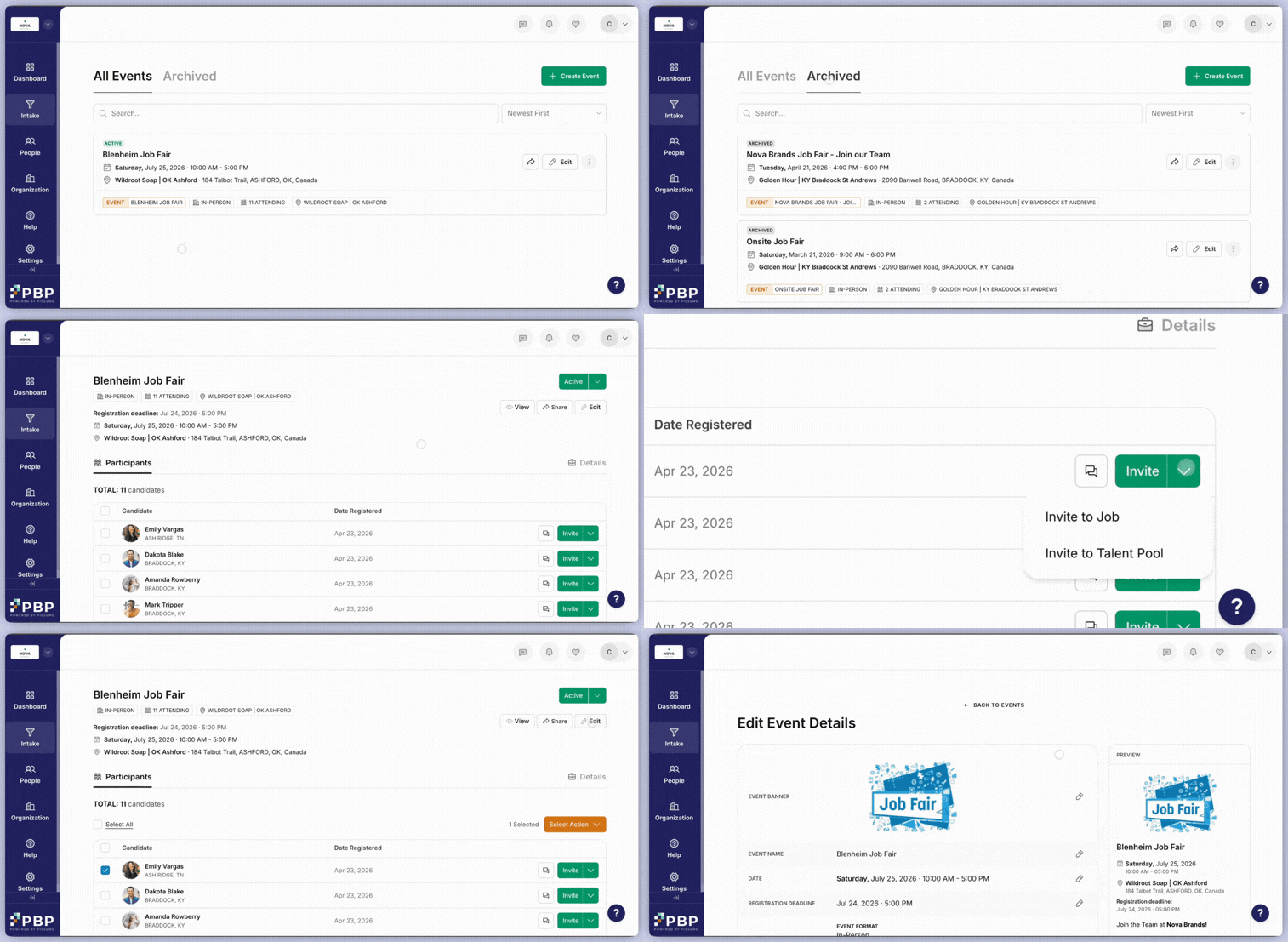
- Capture attendees directly in the Candidate Hub
- Review and organize event participants
- Invite attendees to apply to jobs or Talent Pools
How to Create
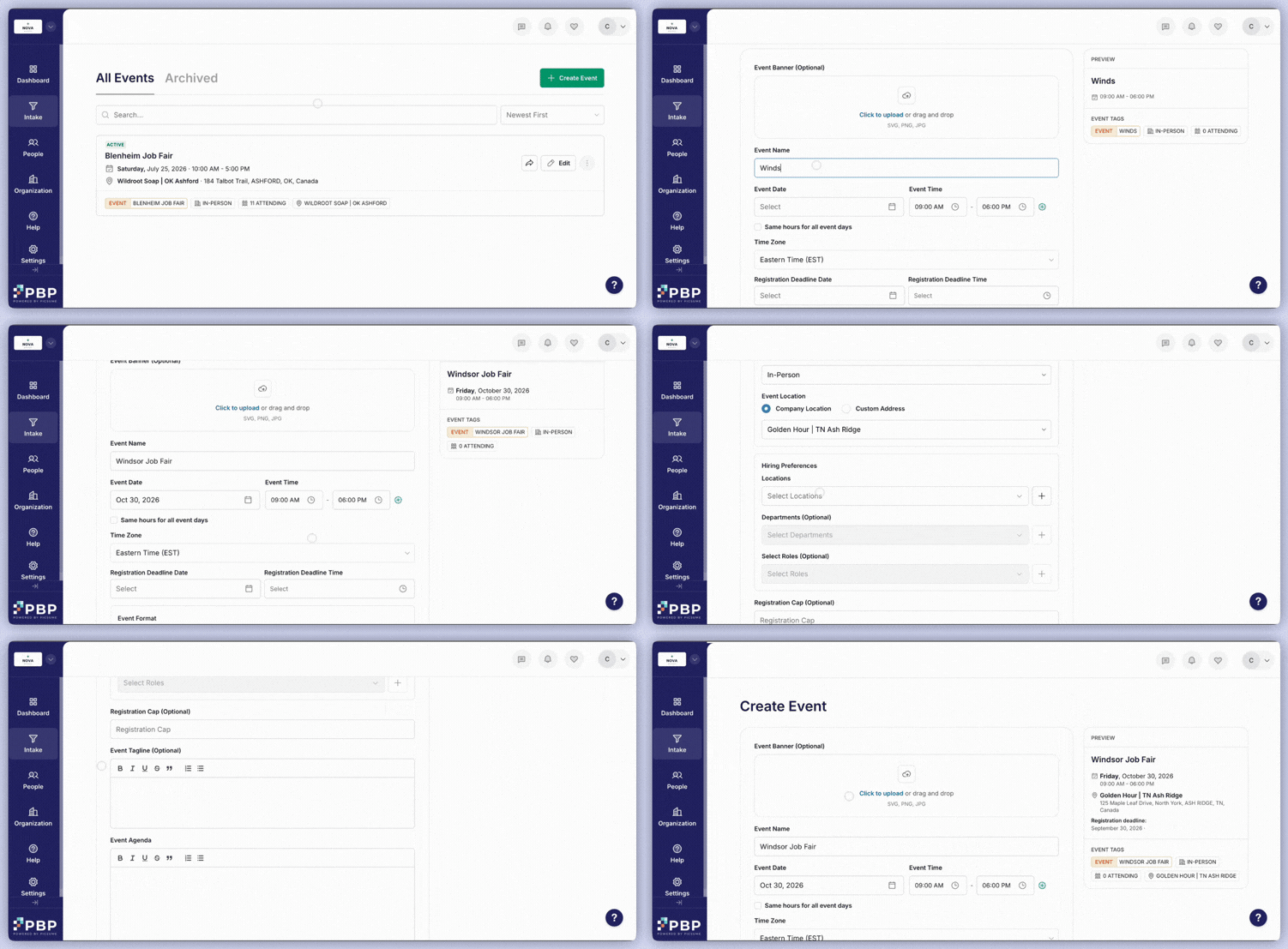
- Fill out initial details such as the Event Name, Date, and Time. You can optionally add a banner image as well.
- Set the date and time for the Registration Deadline
- Select between “In-Person” or “Virtual” as the Event Format. For In-Person, you can choose whether to set one of your company locations or a custom address as the location, whereas for Virtual you are prompted to provide a link
- Under Hiring Preferences, you can choose which of your organization’s locations this event is helping you hire for.
- Write out an Event Agenda that outlines the full details of the event.
- Optional additions that are available include a Registration Cap number, an Event Tagline, and Sponsor Logo images.