
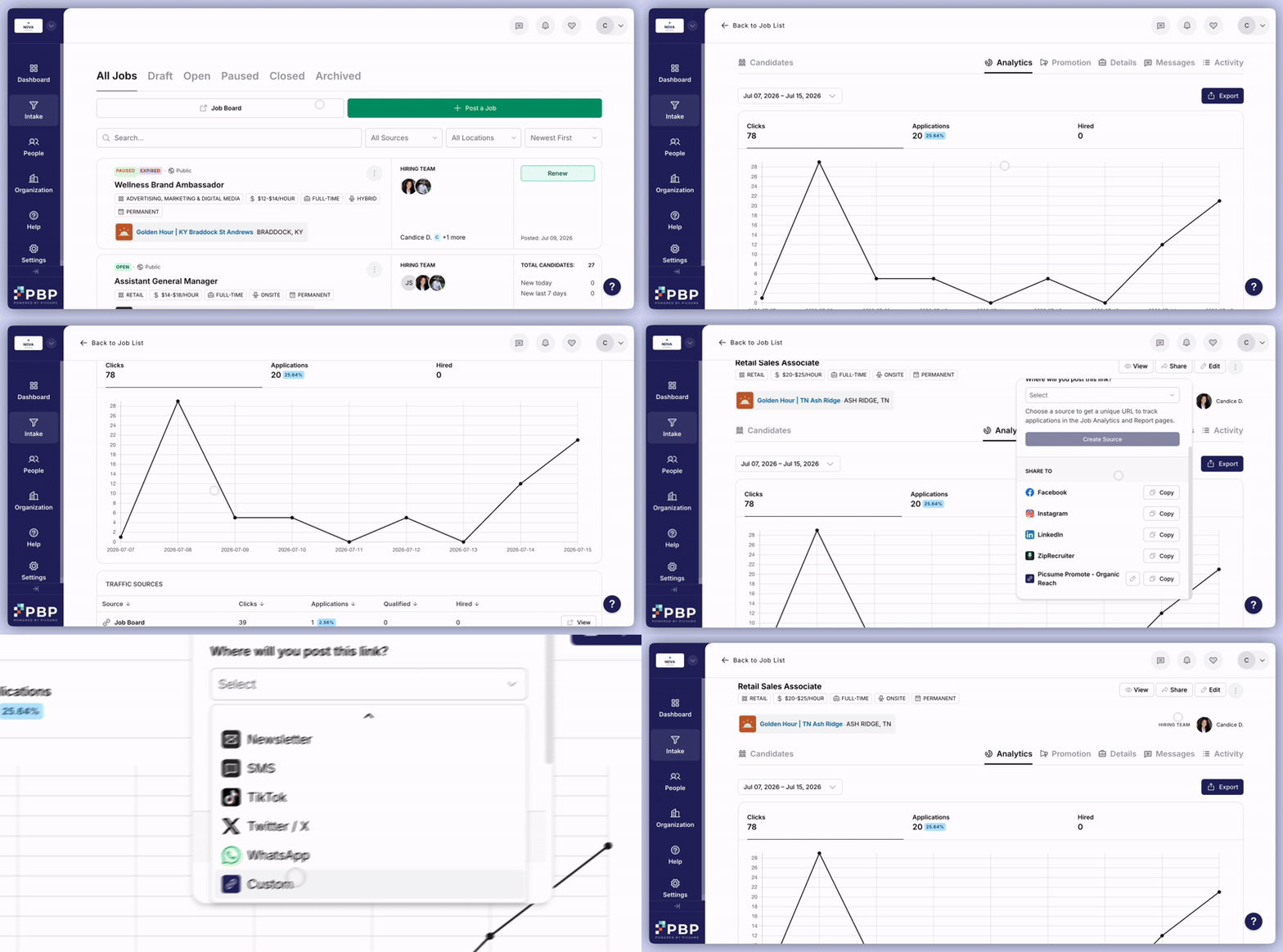
- Create a tracking link to share your job posting with by clicking the Share button. In the dropdown field, select the channel you want to share your link to.
- Selecting the ‘Custom’ option allows you to name a source yourself.
- In the Candidates tab, these sources will be visible for each candidate under the Source field of the table.
- For the ZipRecruiter source, the number of clicks and applications will always be the same because applicants are imported from ZipRecruiter via direct integration.
- Note that some applicants may be listed as “Unclaimed”, meaning that they are yet to have claimed their profile that was imported to Picsume from ZipRecruiter, and if so you can nudge them to take this action.
- Unclaimed candidates can be managed the same way as any other applicant. Move them through hiring stages, add them to Shortlists, and communicate with them directly through the platform. Any messages sent will be delivered to the candidate’s email address.